its like a breeze..
but instructions is very difficult to follow..
so lets see wat i can do first..
DO TAKE NOTE:
if ur iphone set is a unlocked set, dont bother trying..
but i tested on a singtel iphone 3gs(16gb) and it worked perfectly.
BASICALLY,
go to http://www.felixbruns.de/iPod/firmware/
download the applicable Firmware...
FOR EG, if yours is a ipod touch 3, u download the firmware for ipod touch 3 fw4.3.3..
how to differentiate 2g and 3g ipod touch??
a 2g ipod touch behind got this words : tm and apple inc all right reserved
a 3g ipod touch behind dun have such words.
after u downloaded it,
its in zip format.
its either when u downloading it, u rename it from .zip to .ipsw
OR
u rename it AFTER downloading.
unlike win xp, u can just rename the extension, win vista block it by default.
SO,
open my computer,
press ALT
your file edit view tools bar will come out.
go to tools >> folder options>> view tab
UNCHECK "hide extension for known file type"
press apply!!
now u can rename it from ipsw to zip!!!
(SKIP THIS STEP IF YOUR IPHONE IS ALREADY 4.3.3)
now open itunes
connect device to comp,
press shift+ click on restore button
find the file i asked u to download above
install and bla bla bla fer approx 15mins.
and tada, u get 4.3.3 firmware
Sounded easy till now???
HERES THE CHALLENGE
download RedSn0w 0.9.6RC15
http://www.iphoneheat.com/2011/05/download-redsn0w-0-9-6rc15/
https://sites.google.com/a/iphone-dev.com/files/home/redsn0w_win_0.9.6rc16.zip?attredirects=0&d=1
unrar/unzip the file and u will see redsnow.exe
fyi,im doing on windows.
heres another tricky part.
redsnow is not very happy with apple
so first, u needa right click and run the exe as administrator.
once the program started, call out window task manager by ctrl+alt+delete
go to PROCESSESS tab and press "r" and u will find redsnow.exe
right click on it and go to set affinity and UNCHECK "CPU 0"
now,
u go back to redsnow,
browse for the firmware u downloaded from above.
it will prompt some msg and READ IT WORD FOR WORD
it will ask u to check which batch of iphone/itouch are u using.
THERE ARE SPECIFIC INSTRUCTION TEACHING HOW TO CHECK, so please READ.
and answer the question of yes or no. (u didnt check and anyhow answer, u will crash and die like a g6, trust me.. i crashed 6times before i really do read)
after that, press next
den it will load some shits.
LET IT BE.
den it will bring to page 2.
it says, a lot of rubbish.
but just tick install cydia
press next
it will prompt u to OFF ur device.
OFF IT FULLY BEFORE PRESSING NEXT
okay,
now its a bit of tactical movement.
once u press next, u have to hold on to power button fer 3sec, den while holding power button, press home button as well fer 10sec, den release power button BUT cont holding home button until it load the jailbreaking device page.
SOUND CRAZY? yes, this is known as going into dfu mode.
check this out
IF all is well, yea, u will see cydia once it boot up approx 5mins later.
try clicking on cydia.
How To Install AppSynch 4.0+ On iOS 4.3.3 Devices :
Step 1: Start “Cydia” on your iPhone.
Step 2: Touch on “Manage” tab on the bottom.
Step 3: Now touch on “Sources”.
Step 4: Touch on “Edit”, and then on “Add”.Type “http://cydia.hackulo.us” and click on“Add Source”.Cydia will now automatically update your sources by following a series of automated steps.
Step 5: After installation is completed. Search for “AppSync for OS 4.0+” in Cydia and install this application. This app will automatically patch MobileInstallation file on your iPhone, iPad or iPod touch running firmware 4.3.3.You should now be able to install .ipa files manually on your iOS device running firmware 4.3.3.
Originally Posted: http://thetechjournal.com/electronics/iphone/appsync-4-2-for-ios-4-2-1-devices.xhtml#ixzz1BnNIGnnR
LAst but not least,
www.appleiso.com
http://iphonecake.com/appcake/en/
OR
install installous 4 from cydia (“http://cydia.hackulo.us”)
to get ur shits!!
DISCLAIMER
try at ur own risk, as this guide is fer self reference.
u can always call me if ur a frenz, or email me @ we_as1989@hotmail.com if ur a stranger
LAST BUT NOT LEAST,
i dont support piracy, but i do all these because im interested in such technical stuffs.
Showing posts with label tech diary. Show all posts
Showing posts with label tech diary. Show all posts
Monday, July 4, 2011

Monday, May 9, 2011
Sunday, March 13, 2011
WALAU EHH MEGAUPLOAD
sianz... mu go delete all my uploaded files.
fml loh...
so guys, all files inside my blog post all either reuploaded or no longer working
fml loh...
so guys, all files inside my blog post all either reuploaded or no longer working
Pokemon Black and White
okay, heres the thing...
i can play it on ORIGINAL R4, using WOOD R4 v1.26 (fyi, woodr4 is not an item, its an app/prog, so just download it, and extract it into ur memory card, and place it inside the r4 and it will work!!)
http://www.youtube.com/watch?v=1b6nDC23yJM
And for the record!
press X to open up the save menu!!!
fml... i restarted a few times before realising it!!
press up+B+select at the screen whereby u see the monster and it will prompt u to delete saved file!!
WOOD R4: http://www.megaupload.com/?d=8PE9NGDK
POKEMON BLACK: http://www.megaupload.com/?d=YUTEWN66
POKEMON WHITE: http://www.megaupload.com/?d=IU95UATC
i can play it on ORIGINAL R4, using WOOD R4 v1.26 (fyi, woodr4 is not an item, its an app/prog, so just download it, and extract it into ur memory card, and place it inside the r4 and it will work!!)
http://www.youtube.com/watch?v=1b6nDC23yJM
And for the record!
press X to open up the save menu!!!
fml... i restarted a few times before realising it!!
press up+B+select at the screen whereby u see the monster and it will prompt u to delete saved file!!
WOOD R4: http://www.megaupload.com/?d=8PE9NGDK
POKEMON BLACK: http://www.megaupload.com/?d=YUTEWN66
POKEMON WHITE: http://www.megaupload.com/?d=IU95UATC
Sunday, January 23, 2011
JAILBREAK FER 4.2.1(+ many other tips)
its like a breeze..
but instructions is very difficult to follow..
so lets see wat i can do first..
DO TAKE NOTE:
if ur iphone set is a unlocked set, dont bother trying..
but i tested on a singtel iphone 3gs(16gb) and it worked perfectly.
BASICALLY,
go to http://www.felixbruns.de/iPod/firmware/
download the applicable Firmware...
FOR EG, if yours is a ipod touch 3, u download the firmware for ipod touch 3 fw4.2.1..
how to differentiate 2g and 3g ipod touch??
a 2g ipod touch behind got this words : tm and apple inc all right reserved
a 3g ipod touch behind dun have such words.
after u downloaded it,
its in zip format.
its either when u downloading it, u rename it from .zip to .ipsw
OR
u rename it AFTER downloading.
unlike win xp, u can just rename the extension, win vista block it by default.
SO,
open my computer,
press ALT
your file edit view tools bar will come out.
go to tools >> folder options>> view tab
UNCHECK "hide extension for known file type"
press apply!!
now u can rename it from ipsw to zip!!!
now open itunes
connect device to comp,
press shift+ click on restore button
find the file i asked u to download above
install and bla bla bla fer approx 15mins.
and tada, u get 4.2.1 firmware
Sounded easy till now???
HERES THE CHALLENGE
download redsnow 0.9.6b4 from
http://www.technonix.com/2010/11/download-redsn0wredsnow-0-9-6b4-to-jailbreak-ios-4-2-1/
Downloads
Redsn0w 0.9.6b4 for Mac
■http://www.iphone-storage.de/redsn0w_mac_0.9.6b4.zip
■http://cdn.nspwn.com/redsn0w_mac_0.9.6b4.zip
■http://tgq.nl/redsn0w_mac_0.9.6b4.zip
Redsn0w 0.9.6b4 for Windows
■http://cdn.nspwn.com/redsn0w_win_0.9.6b4.zip
■http://tgq.nl/redsn0w_win_0.9.6b4.zip
■http://bubele.eu/redsn0w_win_0.9.6b4.zip
■http://kwek.no-ip.org/redsn0w_win_0.9.6b4.zip
unrar/unzip the file and u will see redsnow.exe
fyi,im doing on windows.
heres another tricky part.
redsnow is not very happy with apple
so first, u needa right click and run the exe as administrator.
once the program started, call out window task manager by ctrl+alt+delete
go to PROCESSESS tab and press "r" and u will find redsnow.exe
right click on it and go to set affinity and UNCHECK "CPU 0"
now,
u go back to redsnow,
browse for the firmware u downloaded from above.
it will prompt some msg and READ IT WORD FOR WORD
it will ask u to check which batch of iphone/itouch are u using.
THERE ARE SPECIFIC INSTRUCTION TEACHING HOW TO CHECK, so please READ.
and answer the question of yes or no. (u didnt check and anyhow answer, u will crash and die like a g6, trust me.. i crashed 6times before i really do read)
after that, press next
den it will load some shits.
LET IT BE.
den it will bring to page 2.
it says, a lot of rubbish.
but just tick install cydia
press next
it will prompt u to OFF ur device.
OFF IT FULLY BEFORE PRESSING NEXT
okay,
now its a bit of tactical movement.
once u press next, u have to hold on to power button fer 3sec, den while holding power button, press home button as well fer 10sec, den release power button BUT cont holding home button until it load the jailbreaking device page.
SOUND CRAZY? yes, this is known as going into dfu mode.
check this out
IF all is well, yea, u will see cydia once it boot up approx 5mins later.
try clicking on cydia.
IT WILL NOT LAUNCH.
so how???
proceed to part 2
PART 2 liaoz
For The iPhone 4/3Gs New Bootrom/iPod Touch 4th/3rd/2nd MC It Is Tethered!!!
(means if it shut down, u needa do this part 2 step)
the rest? it just meant u can just off it and on it anytime u want.
AFTER U JAILBREAK OR U OFF UR TETHERED DEVICE,
u hafta go thru this shit.
start redsnow by right clicking, and start as administrator
den start window task manager
under process tab, look for redsnow.exe
right click and choose set affinity...
UNcheck cpu 0 and press okay.
choose firmware 4.2.1 on redsnow using browse.
press OK
check boot device tethered
off phone.
once u press next, u have to hold on to power button fer 3sec, den while holding power button, press home button as well fer 10sec, den release power button BUT cont holding home button until it load the jailbreaking device page.
after that, ur cydia shld work.
the good part of this tethering is that unlike the old ones, the phone/touch totally cant on. but this one, it can on, only cant play games tt require jail breaking to play.
How To Install AppSynch 4.2 On iOS 4.2.1 Devices :
Step 1: Start “Cydia” on your iPhone.
Step 2: Touch on “Manage” tab on the bottom.
Step 3: Now touch on “Sources”.
Step 4: Touch on “Edit”, and then on “Add”.Type “http://cydia.hackulo.us” and click on“Add Source”.Cydia will now automatically update your sources by following a series of automated steps.
Step 5: After installation is completed. Search for “AppSync for OS 4.2” in Cydia and install this application. This app will automatically patch MobileInstallation file on your iPhone, iPad or iPod touch running firmware 4.2.1.You should now be able to install .ipa files manually on your iOS device running firmware 4.2.1.
Originally Posted: http://thetechjournal.com/electronics/iphone/appsync-4-2-for-ios-4-2-1-devices.xhtml#ixzz1BnNIGnnR
HOWEVER,
when im trying to install appsync, i cant file 4.2.1 and only see 3.1+ appsync.
so i just tried installing 3.1+ appsynce and it works also.
install installous also..
it usefull!
LAst but not least,
www.appleiso.com
http://iphonecake.com/appcake/en/
to get ur shits!!
DISCLAIMER
try at ur own risk, as this guide is fer self reference.
u can always call me if ur a frenz, or email me @ we_as1989@hotmail.com if ur a stranger
LAST BUT NOT LEAST,
i dont support piracy, but i do all these because im interested in such technical stuffs.
but instructions is very difficult to follow..
so lets see wat i can do first..
DO TAKE NOTE:
if ur iphone set is a unlocked set, dont bother trying..
but i tested on a singtel iphone 3gs(16gb) and it worked perfectly.
BASICALLY,
go to http://www.felixbruns.de/iPod/firmware/
download the applicable Firmware...
FOR EG, if yours is a ipod touch 3, u download the firmware for ipod touch 3 fw4.2.1..
how to differentiate 2g and 3g ipod touch??
a 2g ipod touch behind got this words : tm and apple inc all right reserved
a 3g ipod touch behind dun have such words.
after u downloaded it,
its in zip format.
its either when u downloading it, u rename it from .zip to .ipsw
OR
u rename it AFTER downloading.
unlike win xp, u can just rename the extension, win vista block it by default.
SO,
open my computer,
press ALT
your file edit view tools bar will come out.
go to tools >> folder options>> view tab
UNCHECK "hide extension for known file type"
press apply!!
now u can rename it from ipsw to zip!!!
now open itunes
connect device to comp,
press shift+ click on restore button
find the file i asked u to download above
install and bla bla bla fer approx 15mins.
and tada, u get 4.2.1 firmware
Sounded easy till now???
HERES THE CHALLENGE
download redsnow 0.9.6b4 from
http://www.technonix.com/2010/11/download-redsn0wredsnow-0-9-6b4-to-jailbreak-ios-4-2-1/
Downloads
Redsn0w 0.9.6b4 for Mac
■http://www.iphone-storage.de/redsn0w_mac_0.9.6b4.zip
■http://cdn.nspwn.com/redsn0w_mac_0.9.6b4.zip
■http://tgq.nl/redsn0w_mac_0.9.6b4.zip
Redsn0w 0.9.6b4 for Windows
■http://cdn.nspwn.com/redsn0w_win_0.9.6b4.zip
■http://tgq.nl/redsn0w_win_0.9.6b4.zip
■http://bubele.eu/redsn0w_win_0.9.6b4.zip
■http://kwek.no-ip.org/redsn0w_win_0.9.6b4.zip
unrar/unzip the file and u will see redsnow.exe
fyi,im doing on windows.
heres another tricky part.
redsnow is not very happy with apple
so first, u needa right click and run the exe as administrator.
once the program started, call out window task manager by ctrl+alt+delete
go to PROCESSESS tab and press "r" and u will find redsnow.exe
right click on it and go to set affinity and UNCHECK "CPU 0"
now,
u go back to redsnow,
browse for the firmware u downloaded from above.
it will prompt some msg and READ IT WORD FOR WORD
it will ask u to check which batch of iphone/itouch are u using.
THERE ARE SPECIFIC INSTRUCTION TEACHING HOW TO CHECK, so please READ.
and answer the question of yes or no. (u didnt check and anyhow answer, u will crash and die like a g6, trust me.. i crashed 6times before i really do read)
after that, press next
den it will load some shits.
LET IT BE.
den it will bring to page 2.
it says, a lot of rubbish.
but just tick install cydia
press next
it will prompt u to OFF ur device.
OFF IT FULLY BEFORE PRESSING NEXT
okay,
now its a bit of tactical movement.
once u press next, u have to hold on to power button fer 3sec, den while holding power button, press home button as well fer 10sec, den release power button BUT cont holding home button until it load the jailbreaking device page.
SOUND CRAZY? yes, this is known as going into dfu mode.
check this out
IF all is well, yea, u will see cydia once it boot up approx 5mins later.
try clicking on cydia.
IT WILL NOT LAUNCH.
so how???
proceed to part 2
PART 2 liaoz
For The iPhone 4/3Gs New Bootrom/iPod Touch 4th/3rd/2nd MC It Is Tethered!!!
(means if it shut down, u needa do this part 2 step)
the rest? it just meant u can just off it and on it anytime u want.
AFTER U JAILBREAK OR U OFF UR TETHERED DEVICE,
u hafta go thru this shit.
start redsnow by right clicking, and start as administrator
den start window task manager
under process tab, look for redsnow.exe
right click and choose set affinity...
UNcheck cpu 0 and press okay.
choose firmware 4.2.1 on redsnow using browse.
press OK
check boot device tethered
off phone.
once u press next, u have to hold on to power button fer 3sec, den while holding power button, press home button as well fer 10sec, den release power button BUT cont holding home button until it load the jailbreaking device page.
after that, ur cydia shld work.
the good part of this tethering is that unlike the old ones, the phone/touch totally cant on. but this one, it can on, only cant play games tt require jail breaking to play.
How To Install AppSynch 4.2 On iOS 4.2.1 Devices :
Step 1: Start “Cydia” on your iPhone.
Step 2: Touch on “Manage” tab on the bottom.
Step 3: Now touch on “Sources”.
Step 4: Touch on “Edit”, and then on “Add”.Type “http://cydia.hackulo.us” and click on“Add Source”.Cydia will now automatically update your sources by following a series of automated steps.
Step 5: After installation is completed. Search for “AppSync for OS 4.2” in Cydia and install this application. This app will automatically patch MobileInstallation file on your iPhone, iPad or iPod touch running firmware 4.2.1.You should now be able to install .ipa files manually on your iOS device running firmware 4.2.1.
Originally Posted: http://thetechjournal.com/electronics/iphone/appsync-4-2-for-ios-4-2-1-devices.xhtml#ixzz1BnNIGnnR
HOWEVER,
when im trying to install appsync, i cant file 4.2.1 and only see 3.1+ appsync.
so i just tried installing 3.1+ appsynce and it works also.
install installous also..
it usefull!
LAst but not least,
www.appleiso.com
http://iphonecake.com/appcake/en/
to get ur shits!!
DISCLAIMER
try at ur own risk, as this guide is fer self reference.
u can always call me if ur a frenz, or email me @ we_as1989@hotmail.com if ur a stranger
LAST BUT NOT LEAST,
i dont support piracy, but i do all these because im interested in such technical stuffs.
Friday, January 7, 2011
fundamental alpha course
time to revise what i have learnt in the course!!
but people, if any, please correct me if i have written the wrong things as i dun have 100% understanding of the course.
Details of course
Name of Trainer: Darren Francis (www.darrenf.com)
Location: Sony Digital Workshop @ wisma atria isetan lvl 4 sony.
Time and Date: 6/1/2011 6pm - 9pm
LENS
F 3.5- 5.6 / 18 - 55mm
^^^^^^^^^^ ^^^^^^^^^
(Aperture) (Focal Length)
Aperture
Smaler number aperture = bigger hole to allow light thru, better for low light and dark places = more expensive and better
The smaller the aperture number, the more narrow the Depth of Field(DOF).
(Big hole, thin DOF)
Measured in F stops.
Controls the width of opening in the lens
Controls DOF.
Focal Length
Smaller number,see more things. (zoom out)
for eg, 18mm ( best for landscaping)
Bigger number,see further, but less things. (zoom in)
for eg, 55mm ( best for shooting specific things)
Therefore,
Smaller Aperture, better ( due to clearer photo on focused part, with blurring of background)
Bigger Focal Length, better( enable to see further)
Lens with aperture range (for eg, F 3.5- 5.6 / 18 - 55mm)
@ 18mm, the aperture can be at its lowest, which in this case, F3.5(BIGGEST HOLE POSSIBLE)
but when zoom, the aperture would be adjusted to F5.6(BIGGEST HOLE POSSIBLE)
__________________________________
Exposure
is controller by adjusting
1. Aperture
2. Shutter Speed
3. ISO
Depth Of Field (DOF)
DOF IS CONTROLLED BY APERTURE(refer to top for what aperture is about)
The smaller the aperture number(big hole), the thinner the DOF
The nearer the camera is to the item, thinner DOF
The larger the focal length( in my lens' case, 55mm), thinner DOF
The bigger the camera sensor, thinner DOF
DOF thinner, blurring effect of the background, but sharper focus on the main object.
(NOTE: too near to the object, camera unable to focus, cannot fire. just like human eye, something placed too near to the eye, we cant see properly.)
DOF bigger, everything clearer
Shutter Speed
Measured in seconds (1/100s, 1", BULB)
Controls the amount of time for light to enter the camera.
Faster speed, darker picture(less light being able to enter),but person's movement will be captured with less blur. (1/125s)
Slower speed, brighter picture(more light being able to enter), but person's movement will be blurrer. (1/25s)
Conclusion:
Faster Speed used to capture fast actions so as to get less blur,
Slower speed used to capture dark places whereby most of the stuffs are stationary.
BULB Mode: the speed of shutter is dependent on how long you hold.
ISO
Measured by an ISO number
Controls the sensor sensitivity towards light
Higher ISO, more noise, increases brightness
_______________________________________________________________________
Focusing Modes
- Wide >> Determines which of the 9 or 11 Auto Focus(AF) areas is used.
- Spot >> Uses the spot AF area only.
- Local >> Choose a local AF area from 9 or 11 AF areas. (Recommended)
_________________________________________________________________________
Filters.
CPL- Circular Polariser Lens ( to remove reflection)
Star Filter>> to make flares look like stars
Natural Density >> makes picture dark.
Really dark Natural Density filtrs slows down shutter speed.
eg, it will slow the shutter speed to 1min, then only stationary object will be captured.
_________________________________________________________________
Tips and Tricks
Optimum Shutter Speed
- 1/focal length ( to prevent hand shake blur, for my case, 1/55)
BUT ONLY FOR negating hand shake blur.
To take movement of things, higher shutter speed is needed to remove blurring(REFER TO SHUTTER SPEED Section.
DRO
-Enhances the shadwo areas of the pictures and maintains the highlight to minimize an overexposed picture. (recommended to be off so as to take the shadow properly)
Softwares
Photo editing softwares
-GIMP
-Photoshop
These programs are able to edit RAW pictures. Best to take photos in RAW format so that the picture would be nicer after editing.
Noise Reduction
-Noise Ninja
-Neat Image
High Dynamic Range
-Photomatrix
Maintainence items
-Lens Pen (approx $15)
-Digital Dry box
_______________________________________________________
SEE THE DIFFERENCE!!!
F/5.6
1/125sec
ISO 800
F/25
1/6sec
ISO 800

F/5.6
1/40sec
ISO 800
F/5.6
1/6sec
ISO 800
F/5
1/6sec
ISO 800

F/4
1/160sec
ISO 800
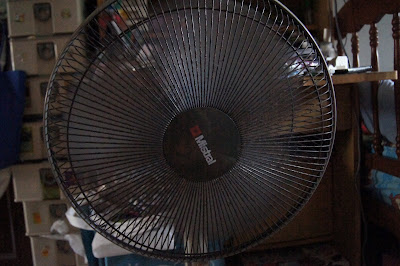
F/4
1/160sec
ISO 6400
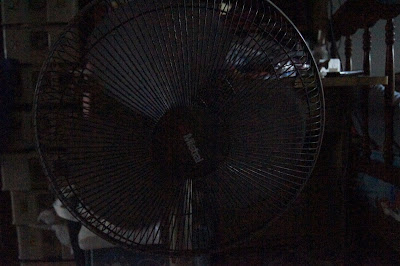
F/4
1/1000sec
ISO 12800
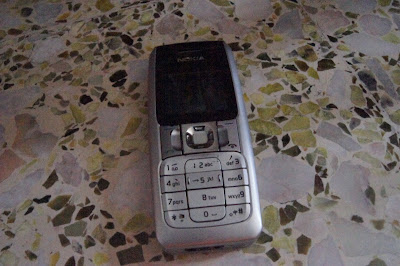
F/16
1/25sec
ISO 12800
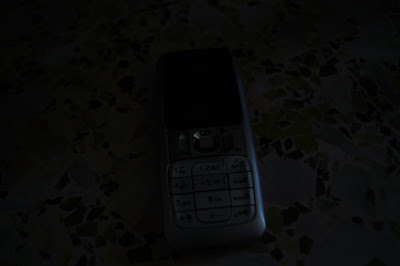
F/4
1/25sec
ISO 100
but people, if any, please correct me if i have written the wrong things as i dun have 100% understanding of the course.
Details of course
Name of Trainer: Darren Francis (www.darrenf.com)
Location: Sony Digital Workshop @ wisma atria isetan lvl 4 sony.
Time and Date: 6/1/2011 6pm - 9pm
LENS
F 3.5- 5.6 / 18 - 55mm
^^^^^^^^^^ ^^^^^^^^^
(Aperture) (Focal Length)
Aperture
Smaler number aperture = bigger hole to allow light thru, better for low light and dark places = more expensive and better
The smaller the aperture number, the more narrow the Depth of Field(DOF).
(Big hole, thin DOF)
Measured in F stops.
Controls the width of opening in the lens
Controls DOF.
Focal Length
Smaller number,see more things. (zoom out)
for eg, 18mm ( best for landscaping)
Bigger number,see further, but less things. (zoom in)
for eg, 55mm ( best for shooting specific things)
Therefore,
Smaller Aperture, better ( due to clearer photo on focused part, with blurring of background)
Bigger Focal Length, better( enable to see further)
Lens with aperture range (for eg, F 3.5- 5.6 / 18 - 55mm)
@ 18mm, the aperture can be at its lowest, which in this case, F3.5(BIGGEST HOLE POSSIBLE)
but when zoom, the aperture would be adjusted to F5.6(BIGGEST HOLE POSSIBLE)
__________________________________
Exposure
is controller by adjusting
1. Aperture
2. Shutter Speed
3. ISO
Depth Of Field (DOF)
DOF IS CONTROLLED BY APERTURE(refer to top for what aperture is about)
The smaller the aperture number(big hole), the thinner the DOF
The nearer the camera is to the item, thinner DOF
The larger the focal length( in my lens' case, 55mm), thinner DOF
The bigger the camera sensor, thinner DOF
DOF thinner, blurring effect of the background, but sharper focus on the main object.
(NOTE: too near to the object, camera unable to focus, cannot fire. just like human eye, something placed too near to the eye, we cant see properly.)
DOF bigger, everything clearer
Shutter Speed
Measured in seconds (1/100s, 1", BULB)
Controls the amount of time for light to enter the camera.
Faster speed, darker picture(less light being able to enter),but person's movement will be captured with less blur. (1/125s)
Slower speed, brighter picture(more light being able to enter), but person's movement will be blurrer. (1/25s)
Conclusion:
Faster Speed used to capture fast actions so as to get less blur,
Slower speed used to capture dark places whereby most of the stuffs are stationary.
BULB Mode: the speed of shutter is dependent on how long you hold.
ISO
Measured by an ISO number
Controls the sensor sensitivity towards light
Higher ISO, more noise, increases brightness
_______________________________________________________________________
Focusing Modes
- Wide >> Determines which of the 9 or 11 Auto Focus(AF) areas is used.
- Spot >> Uses the spot AF area only.
- Local >> Choose a local AF area from 9 or 11 AF areas. (Recommended)
_________________________________________________________________________
Filters.
CPL- Circular Polariser Lens ( to remove reflection)
Star Filter>> to make flares look like stars
Natural Density >> makes picture dark.
Really dark Natural Density filtrs slows down shutter speed.
eg, it will slow the shutter speed to 1min, then only stationary object will be captured.
_________________________________________________________________
Tips and Tricks
Optimum Shutter Speed
- 1/focal length ( to prevent hand shake blur, for my case, 1/55)
BUT ONLY FOR negating hand shake blur.
To take movement of things, higher shutter speed is needed to remove blurring(REFER TO SHUTTER SPEED Section.
DRO
-Enhances the shadwo areas of the pictures and maintains the highlight to minimize an overexposed picture. (recommended to be off so as to take the shadow properly)
Softwares
Photo editing softwares
-GIMP
-Photoshop
These programs are able to edit RAW pictures. Best to take photos in RAW format so that the picture would be nicer after editing.
Noise Reduction
-Noise Ninja
-Neat Image
High Dynamic Range
-Photomatrix
Maintainence items
-Lens Pen (approx $15)
-Digital Dry box
_______________________________________________________
SEE THE DIFFERENCE!!!

F/5.6
1/125sec
ISO 800

F/25
1/6sec
ISO 800

F/5.6
1/40sec
ISO 800

F/5.6
1/6sec
ISO 800

F/5
1/6sec
ISO 800

F/4
1/160sec
ISO 800

F/4
1/160sec
ISO 6400

F/4
1/1000sec
ISO 12800

F/16
1/25sec
ISO 12800

F/4
1/25sec
ISO 100
Sunday, October 31, 2010
WHO WANTS TO BE SPY?
i cant say that im not impressed.
in fact, im so tempted to place an order on one of the item.
next time, i will have to be more careful to recognise these spy items.
HOWEVER,
they looked so like china made goods,
which means they will not last and is of poor quality.
and of course, the price is too big for it.
http://zirkinc.blogspot.com/
in fact, im so tempted to place an order on one of the item.
next time, i will have to be more careful to recognise these spy items.
HOWEVER,
they looked so like china made goods,
which means they will not last and is of poor quality.
and of course, the price is too big for it.
http://zirkinc.blogspot.com/
polaroid sales from some vr zoner
im not trying to advertise,
but i just got 10 packs frm them @ $10 each.
so shall post his details here for easier reference if i need stock next time
_______________________________________
Film Expiry:
Plain - August 2012
Colour - August 2012
Price:
Plain:
1 pack (10 films) *No Box provided* - $11 per pack
1 Box (2 packs/20 films) - $21 per box ($10.50 per pack)
3 Boxes and above - $20 per box ($10 per pack)
Colourful:
1 pack (10 films) *No Box provided* - $14.00 per pack
1 Box (2 packs/20 films) - $27 per box ($13.50 per pack)
Postage:
Normal postage: $1
*Registered mail add $2.50 (Highly Recommended)*
I will not be responsible for any lost mail
Self-Collection:
ONLY @ Boon Lay MRT Station at my convenience (COD)
Enquires/ Order:
Please email me at coaster_87@hotmail.com in the following format.
Subject: Fujifilm Instax Mini Films (Plain / Colourful)
Name:
Contact no:
Address:
Collection: Normal/Registered/Self-Collect
Standard Films: (no of packets)
Colour Films: (no of packets)
I will email back asap. I will send confirmation and payment details to you.
Hurry.... While Stocks Last!!!
____________________________________
heres another good deal.
Fuji Instax Films
$10.50 per pack!
*(Min. 2 packs) Regardless of amount
INSTOCK NOW!
Also available Instax Mini 7s in White & Choco - $134 (with 1 year warranty)
Quote 'vr-zone' if u drop me a text.
text me at 9093499 six for fast deal
_____________________________________________
i guess, the next time i buy, im so gonna buy from some ebay ppl in bulk!!
bah
but i just got 10 packs frm them @ $10 each.
so shall post his details here for easier reference if i need stock next time
_______________________________________
Film Expiry:
Plain - August 2012
Colour - August 2012
Price:
Plain:
1 pack (10 films) *No Box provided* - $11 per pack
1 Box (2 packs/20 films) - $21 per box ($10.50 per pack)
3 Boxes and above - $20 per box ($10 per pack)
Colourful:
1 pack (10 films) *No Box provided* - $14.00 per pack
1 Box (2 packs/20 films) - $27 per box ($13.50 per pack)
Postage:
Normal postage: $1
*Registered mail add $2.50 (Highly Recommended)*
I will not be responsible for any lost mail
Self-Collection:
ONLY @ Boon Lay MRT Station at my convenience (COD)
Enquires/ Order:
Please email me at coaster_87@hotmail.com in the following format.
Subject: Fujifilm Instax Mini Films (Plain / Colourful)
Name:
Contact no:
Address:
Collection: Normal/Registered/Self-Collect
Standard Films: (no of packets)
Colour Films: (no of packets)
I will email back asap. I will send confirmation and payment details to you.
Hurry.... While Stocks Last!!!
____________________________________
heres another good deal.
Fuji Instax Films
$10.50 per pack!
*(Min. 2 packs) Regardless of amount
INSTOCK NOW!
Also available Instax Mini 7s in White & Choco - $134 (with 1 year warranty)
Quote 'vr-zone' if u drop me a text.
text me at 9093499 six for fast deal
_____________________________________________
i guess, the next time i buy, im so gonna buy from some ebay ppl in bulk!!
bah
Sunday, October 24, 2010
wii backup manager megaupload
realised no one have it on mu...
so shall upload it here =]
http://www.megaupload.com/?d=21YIF529
so shall upload it here =]
http://www.megaupload.com/?d=21YIF529
Saturday, October 23, 2010
gsm areana
wanted to buy a phone... but didnt do my research enough...
and now, i know of a cool site to study all these...
http://www.gsmarena.com/
and now, i know of a cool site to study all these...
http://www.gsmarena.com/
Wednesday, October 20, 2010
internet download manager fixes
okay...
if u got a flaky idm shit problem,
heres the fix!!!!
1. Uninstall IDM
2. Click your Start button then select RUN, in the Run box that opens type this simple command: REGEDIT then you get the windows registry editor
choose Hkey local machine then software
3. Search for internet download manager folder ‘ which contains some files-like ‘ delete the folder by clicking with right boutton
I do it in safe mode and it works
den, reinstall properly =]
if u got a flaky idm shit problem,
heres the fix!!!!
1. Uninstall IDM
2. Click your Start button then select RUN, in the Run box that opens type this simple command: REGEDIT then you get the windows registry editor
choose Hkey local machine then software
3. Search for internet download manager folder ‘ which contains some files-like ‘ delete the folder by clicking with right boutton
I do it in safe mode and it works
den, reinstall properly =]
Wednesday, October 13, 2010
Make a bootable thumbdrive using WINTOFLASH
k this is idiot proof...
unrar everything,
put all necessary cd in,
FOLLOW THE DAMN INSTRUCTIONS IN THE PROGRAM.
TADA! u got it done!!!
link: http://wintoflash.com/home/en/
http://www.megaupload.com/?d=5AVUCNME
unrar everything,
put all necessary cd in,
FOLLOW THE DAMN INSTRUCTIONS IN THE PROGRAM.
TADA! u got it done!!!
link: http://wintoflash.com/home/en/
http://www.megaupload.com/?d=5AVUCNME
Tuesday, October 12, 2010
HOW TO burn ps2 to dvd using alcohol120
kinda idiot proof..
but just to save myself from forgetting,
so here it goes...
First, u need alcohol120(DUH?)
download from >> http://www.megaupload.com/?d=RW0H0S50
patch the game using ESR PATCHER >> http://www.megaupload.com/?d=6C0V3P8W
follow all the instructions inside the package and u will be fine.
den,
image burning wizard,
browse file(LOOK FOR .ISO),
set to 4x burn speed,
set to ps 2 format,
press start =]
link to download awesome ps2 games>> www.ps3iso.com
http://isogamesdownload.blogspot.com/2009/12/assassin-creed-save-game-100-psp-mu-rs.html
for torrent,
http://btjunkie.org/search?q=ps2
http://thepiratebay.org/search/ps2%20/0/7/0
and yes,
IMMA MU SUPPORTER =D
but just to save myself from forgetting,
so here it goes...
First, u need alcohol120(DUH?)
download from >> http://www.megaupload.com/?d=RW0H0S50
patch the game using ESR PATCHER >> http://www.megaupload.com/?d=6C0V3P8W
follow all the instructions inside the package and u will be fine.
den,
image burning wizard,
browse file(LOOK FOR .ISO),
set to 4x burn speed,
set to ps 2 format,
press start =]
link to download awesome ps2 games>> www.ps3iso.com
http://isogamesdownload.blogspot.com/2009/12/assassin-creed-save-game-100-psp-mu-rs.html
for torrent,
http://btjunkie.org/search?q=ps2
http://thepiratebay.org/search/ps2%20/0/7/0
and yes,
IMMA MU SUPPORTER =D
PS3 JAILBREAK??
okie,
according to http://www.r4king.com/
they are selling a td with the jailbreak, costing 30USD.
and i saw a malaysia shop selling at 200rm with 5free games.
so my question is, is it sold in sg, and how stable is this new system?
shall update this particular topic when i have done more research.
according to http://www.r4king.com/
they are selling a td with the jailbreak, costing 30USD.
and i saw a malaysia shop selling at 200rm with 5free games.
so my question is, is it sold in sg, and how stable is this new system?
shall update this particular topic when i have done more research.
Saturday, October 9, 2010
Pandora Battery without opening(softmod) PSP
Download needed files > http://www.megaupload.com/?d=LG5U0CQX
- first you are going to softmod your battery, since you have CFW (custom firmware) you will need to extract the ospt_052.zip to your desktop.
- enable USB mode on your PSP
- then you will copy the folder "ospbt_052" to your GAME folder (X:/psp/GAME/); remember "X" means your drive letter
- turn off USB mode, and go to your games on you memory stick and change your run the "OS pandora Battery Tool 0.52
- Press X to continue
- Scroll down to "Convert to service mode"; now your battery is pandora-ized
- Now exit
------------------creating the magic memery stick-----------------------------------
* now we will make a magic memory stick! ( the easiest part)
- extract the The File You Need.7z to your desktop
- Open README 1st folder
- highlight and copy MSINST and MSPFORMAT FOLDER
- open My Computer
- Left Click the C: drive once (Note: if you double click, it will open C: drive)
- Now RIGHT Click on C: drive and PASTE
- format your memory stick thru your psp (Settings>System Settings>Format Memory Stick)
- once that is done, enable USB mode
- make note of your drive letter (usually E: or F
- open up command propmt (click Start, select Run, type in cmd and hit enter_
- Type in the following command "CD C:\" (note: with-out quote mark) HIT enter
- type the following command "mspformat\mspformat.exe X" ( where X=psp drive letter) note: NO quotation
- hit Y, then enter
- it should say "Drive succesfully formatted, and partition moved."
- disable USB mode, and take out the memory stick
- now re-insert the memory stick, and re-enable USB mode
- Now go back to the Desktop where you extracted the folder "The File You Need"
- double click it
- open the Despertar v3 folder, and copy its contents to your psp (just the contents, not the actual folder)
- now go back to your prompt window
- type the following command "msinst\msinst.exe X msinst\msipl.bin" (again where X=psp drive letter) note: NO quotation
- press Y and hit enter
- The last line should say " Write MS BOOT CODE "
- then type exit and enter
* you now have a magic memory stick!
-----------------------upgrading to 3.71 m33-2------------------------------
* now that you have your "pandora" battery and MMS, its time to install!
- make sure that the memory stick is inside your psp
- pop in your battery
- it shoudl automatically cut on
- you should see a screen, press X to install 3.71 m33-2
- sit back and let it install everything to the flash....
- once it says install sucess, press X to reboot
* congrats you have CFW 3.71 m33-2
------------------------turning your battery back to normal mode------------
- once your psp is off, take out the battery, and plug in a AC adapter
- turn on your PSP, insert your battery, and enable USB mode
- then you will copy the folder "ospbt_052" (remember the folder on your desktop?) to your GAME folder (X:/psp/GAME/); remember "X" means your drive letter
- turn off USB mode, and go to your games on you memory stick and change your run the "OS pandora Battery Tool 0.52" program
- Press X to continue
- Scroll down to "Convert to normal mode"; now your battery is pandora-ized
- Now exit
------------------------upgrading to 3.8 m33-------------------------
* before we do this, we must make sure you have at least a 78% charge to your battery *
- turn on your PSP with the battery inserted
- extract the 3.8M33.zip to your desktop
- enable USB mode on your PSP
- format your memory stick thru you PSP
- copy the update folder to the GAME folder (X:\PSP\GAME) (remember X is the drive letter)
- assuming you have at least a 78% charge, run the update from the GAME folder, it will be like sony's but dont worry, it will install the CFW
- At the end when you are asked to reboot the
PSP pressing X or O, do it.
* you now have 3.8 m33!!!! *almost there*
--------------------------updating to 3.8 m33-5-----------------------------------------
-turn on your psp
- go to the GAME section on your psp, and delete the update
- now enable USB mode
- extract 3.8m33-5.zip file to your desktop
- copy the update folder to the GAME folder (X:\PSP\GAME) (remember X is the drive letter)
- disable USB mode, and run the update just like you did the last time..
* VIOLA!!! YOU HAVE 3.8 M33-5!!!! w00t!!11!!111!!! *
-guide created by travis greene
credit >> http://www.pspmod.com/forums/psp-hardware-guides/28603-how-soft-mod-pandora-battery-use-hack-needs-redoing.html
- first you are going to softmod your battery, since you have CFW (custom firmware) you will need to extract the ospt_052.zip to your desktop.
- enable USB mode on your PSP
- then you will copy the folder "ospbt_052" to your GAME folder (X:/psp/GAME/); remember "X" means your drive letter
- turn off USB mode, and go to your games on you memory stick and change your run the "OS pandora Battery Tool 0.52
- Press X to continue
- Scroll down to "Convert to service mode"; now your battery is pandora-ized
- Now exit
------------------creating the magic memery stick-----------------------------------
* now we will make a magic memory stick! ( the easiest part)
- extract the The File You Need.7z to your desktop
- Open README 1st folder
- highlight and copy MSINST and MSPFORMAT FOLDER
- open My Computer
- Left Click the C: drive once (Note: if you double click, it will open C: drive)
- Now RIGHT Click on C: drive and PASTE
- format your memory stick thru your psp (Settings>System Settings>Format Memory Stick)
- once that is done, enable USB mode
- make note of your drive letter (usually E: or F
- open up command propmt (click Start, select Run, type in cmd and hit enter_
- Type in the following command "CD C:\" (note: with-out quote mark) HIT enter
- type the following command "mspformat\mspformat.exe X" ( where X=psp drive letter) note: NO quotation
- hit Y, then enter
- it should say "Drive succesfully formatted, and partition moved."
- disable USB mode, and take out the memory stick
- now re-insert the memory stick, and re-enable USB mode
- Now go back to the Desktop where you extracted the folder "The File You Need"
- double click it
- open the Despertar v3 folder, and copy its contents to your psp (just the contents, not the actual folder)
- now go back to your prompt window
- type the following command "msinst\msinst.exe X msinst\msipl.bin" (again where X=psp drive letter) note: NO quotation
- press Y and hit enter
- The last line should say " Write MS BOOT CODE "
- then type exit and enter
* you now have a magic memory stick!
-----------------------upgrading to 3.71 m33-2------------------------------
* now that you have your "pandora" battery and MMS, its time to install!
- make sure that the memory stick is inside your psp
- pop in your battery
- it shoudl automatically cut on
- you should see a screen, press X to install 3.71 m33-2
- sit back and let it install everything to the flash....
- once it says install sucess, press X to reboot
* congrats you have CFW 3.71 m33-2
------------------------turning your battery back to normal mode------------
- once your psp is off, take out the battery, and plug in a AC adapter
- turn on your PSP, insert your battery, and enable USB mode
- then you will copy the folder "ospbt_052" (remember the folder on your desktop?) to your GAME folder (X:/psp/GAME/); remember "X" means your drive letter
- turn off USB mode, and go to your games on you memory stick and change your run the "OS pandora Battery Tool 0.52" program
- Press X to continue
- Scroll down to "Convert to normal mode"; now your battery is pandora-ized
- Now exit
------------------------upgrading to 3.8 m33-------------------------
* before we do this, we must make sure you have at least a 78% charge to your battery *
- turn on your PSP with the battery inserted
- extract the 3.8M33.zip to your desktop
- enable USB mode on your PSP
- format your memory stick thru you PSP
- copy the update folder to the GAME folder (X:\PSP\GAME) (remember X is the drive letter)
- assuming you have at least a 78% charge, run the update from the GAME folder, it will be like sony's but dont worry, it will install the CFW
- At the end when you are asked to reboot the
PSP pressing X or O, do it.
* you now have 3.8 m33!!!! *almost there*
--------------------------updating to 3.8 m33-5-----------------------------------------
-turn on your psp
- go to the GAME section on your psp, and delete the update
- now enable USB mode
- extract 3.8m33-5.zip file to your desktop
- copy the update folder to the GAME folder (X:\PSP\GAME) (remember X is the drive letter)
- disable USB mode, and run the update just like you did the last time..
* VIOLA!!! YOU HAVE 3.8 M33-5!!!! w00t!!11!!111!!! *
-guide created by travis greene
credit >> http://www.pspmod.com/forums/psp-hardware-guides/28603-how-soft-mod-pandora-battery-use-hack-needs-redoing.html
NDS patcher
Download : http://www.megaupload.com/?d=HQZ3NNT5
Step 1: Extract them to desktop
Step 2: Drag your game on the Patch.exe
Step 3: After a few seconds you should see a window popping up saying the patch is done.
Step 4: There will be two ROMs after you finish. Use the one that does NOT have a .bak in its name.
Step 5: Just place the ROM into your Card you use.
works for all nds games that freezes with the anti privacy patch.
Step 1: Extract them to desktop
Step 2: Drag your game on the Patch.exe
Step 3: After a few seconds you should see a window popping up saying the patch is done.
Step 4: There will be two ROMs after you finish. Use the one that does NOT have a .bak in its name.
Step 5: Just place the ROM into your Card you use.
works for all nds games that freezes with the anti privacy patch.
Sunday, October 3, 2010
PS2 play from hdd MODCHIP
singapore ps2 sets are mostly modchipped.
so basically, u only need to do some small steps.
get ur ps 2 iso files from torrents or ps3iso.
Now get one blank cd and a usb flash
Firstly extract both of the folders in the archive(Open Ps2 Loader and Ulaunchelf iso)
to somwhere for e.g. my document.
Now burn the image in the "Ulaunchelf iso" folder with imgburn or similar programs.
Now copy the four files in the "Open Ps2 Loader" forlder to the usb flash(Remember to format it using fat32 or it won't work)
Now follow me carefully or you may get problems.When the screeen appears just press circle and you will get many folders.
Search for "Mass:/" and press circle on it.Now search for "OPNPS2LD.ELF" and click circle on it and open ps2 loader will load.
Now insert your external hard disk/usb flash whcih has games on it.Now under the "usb games" tab you will see your games(If you see no items then
check whether your external hard disk/usb flash is correctly inserted or not).Select the game that you want to play and press X on it.
Links:
Imgburn: http://download.imgburn.com/SetupImgB...
Package: http://www.mediafire.com/?wjzzytyz2ii
Enjoy!
gamerguuy
NOW...
how to put ps2 iso files into the hdd??? NO DRAG AND DROP!
first, download usbextreme.
http://www.hdadvance.com/download/
den, get urself a daemon tool
mount the iso image on daemon tool.
den use the usb extreme as the video states.
easy enuff?
so basically, u only need to do some small steps.
get ur ps 2 iso files from torrents or ps3iso.
Now get one blank cd and a usb flash
Firstly extract both of the folders in the archive(Open Ps2 Loader and Ulaunchelf iso)
to somwhere for e.g. my document.
Now burn the image in the "Ulaunchelf iso" folder with imgburn or similar programs.
Now copy the four files in the "Open Ps2 Loader" forlder to the usb flash(Remember to format it using fat32 or it won't work)
Now follow me carefully or you may get problems.When the screeen appears just press circle and you will get many folders.
Search for "Mass:/" and press circle on it.Now search for "OPNPS2LD.ELF" and click circle on it and open ps2 loader will load.
Now insert your external hard disk/usb flash whcih has games on it.Now under the "usb games" tab you will see your games(If you see no items then
check whether your external hard disk/usb flash is correctly inserted or not).Select the game that you want to play and press X on it.
Links:
Imgburn: http://download.imgburn.com/SetupImgB...
Package: http://www.mediafire.com/?wjzzytyz2ii
Enjoy!
gamerguuy
NOW...
how to put ps2 iso files into the hdd??? NO DRAG AND DROP!
first, download usbextreme.
http://www.hdadvance.com/download/
den, get urself a daemon tool
mount the iso image on daemon tool.
den use the usb extreme as the video states.
easy enuff?
Tuesday, May 11, 2010
SPirit Jailbreak (3.1.3 jailbreak )
This guide is for myself, as i kept forgetting the steps and the links i need.
IF YOUR IS NOT 3.1.3, DO THIS
----------------------------------------------------------------------------
First, make sure u patch ur itouch to 3.1.3
go to http://www.felixbruns.de/iPod/firmware/ and download the firmware
while saving, change the name of the file from .rar to .ipsw
(set to all files, den chnage in the name)
then, connect itouch to comp,
u will see itune load up.
shift + click on the restore button.
a window will come out and find the .ipsw file just downloaded.
and tada! u get 3.1.3
-----------------------------------------------------------------------------
IF YOUR ITOUCH IS 3.1.3
-----------------------------------------------------------------------------
Make sure it is a clean copy
(meaning, if u previously jailbroken before on your 3.1.2, den upgraded to 3.1.3, u have to REINSTALL 3.1.3)
now go to http://spiritjb.com/
click on the word "windows" to download the spirit jailbreaker device. (click on MAC if your using a mac book)
connect to your ipod touch to comp.
open the spirit program, click Jailbreak
TADA!~ JAILBROKEN!!
now u needa appsync
on ur WIFI and make sure ur connected
Go to Cydia
Tap on Manage tab
Tap on sources
Tap on “Edit” and then on “Add” , type in the hackulo.us repository which is http://cydia.hackulo.us/
Tap on Add Source
click on the hackulous and install "appsync for OS 3.1",
Install and Confirm
you will have a appsync-able jailbroken devicEE!!!
WEBBIES TO DOWNLOAD YOUR APPS FER JAILBROKEN DEVICEE
www.appleiso.com
http://litefree.com/
http://apptrackr.org/troll.php
Sianz.. i lost my itouch, but i didnt lose my touch =D
but idk why i did this also..
of no use to me now...
IF YOUR IS NOT 3.1.3, DO THIS
----------------------------------------------------------------------------
First, make sure u patch ur itouch to 3.1.3
go to http://www.felixbruns.de/iPod/firmware/ and download the firmware
while saving, change the name of the file from .rar to .ipsw
(set to all files, den chnage in the name)
then, connect itouch to comp,
u will see itune load up.
shift + click on the restore button.
a window will come out and find the .ipsw file just downloaded.
and tada! u get 3.1.3
-----------------------------------------------------------------------------
IF YOUR ITOUCH IS 3.1.3
-----------------------------------------------------------------------------
Make sure it is a clean copy
(meaning, if u previously jailbroken before on your 3.1.2, den upgraded to 3.1.3, u have to REINSTALL 3.1.3)
now go to http://spiritjb.com/
click on the word "windows" to download the spirit jailbreaker device. (click on MAC if your using a mac book)
connect to your ipod touch to comp.
open the spirit program, click Jailbreak
TADA!~ JAILBROKEN!!
now u needa appsync
on ur WIFI and make sure ur connected
Go to Cydia
Tap on Manage tab
Tap on sources
Tap on “Edit” and then on “Add” , type in the hackulo.us repository which is http://cydia.hackulo.us/
Tap on Add Source
click on the hackulous and install "appsync for OS 3.1",
Install and Confirm
you will have a appsync-able jailbroken devicEE!!!
WEBBIES TO DOWNLOAD YOUR APPS FER JAILBROKEN DEVICEE
www.appleiso.com
http://litefree.com/
http://apptrackr.org/troll.php
Sianz.. i lost my itouch, but i didnt lose my touch =D
but idk why i did this also..
of no use to me now...
Sunday, April 25, 2010

Friday, January 22, 2010
PSP with gpsp =D
okie..
recently is insane with pokemon.
so i even went to install GBA emulator on my psp =]
so heres a diary of how i do it.
goto
http://www.pspiso.com/showthread.php?t=468876
download gba and gbc files
GBA-http://www.mediafire.com/?nyzgqdcmyzc
GBC-http://www.mediafire.com/?mzjzdtl5wzk
after download, extract the file to "psp drive" >> PSP folder>> Games.
put the games inside the extracted file >> GBA >> ROMS
put ur saved files into >>> GBA>>>SAV.
its the same fer GBA and GBC
tada... thats how i cloned my itouch pokemon to my psp =]
playing on psp does feel better, but play on itouch is more portable
recently is insane with pokemon.
so i even went to install GBA emulator on my psp =]
so heres a diary of how i do it.
goto
http://www.pspiso.com/showthread.php?t=468876
download gba and gbc files
GBA-http://www.mediafire.com/?nyzgqdcmyzc
GBC-http://www.mediafire.com/?mzjzdtl5wzk
after download, extract the file to "psp drive" >> PSP folder>> Games.
put the games inside the extracted file >> GBA >> ROMS
put ur saved files into >>> GBA>>>SAV.
its the same fer GBA and GBC
tada... thats how i cloned my itouch pokemon to my psp =]
playing on psp does feel better, but play on itouch is more portable
Subscribe to:
Posts (Atom)
